






























Airport Simulator 3D: Turn a Tiny Terminal Into a Bustling Hub
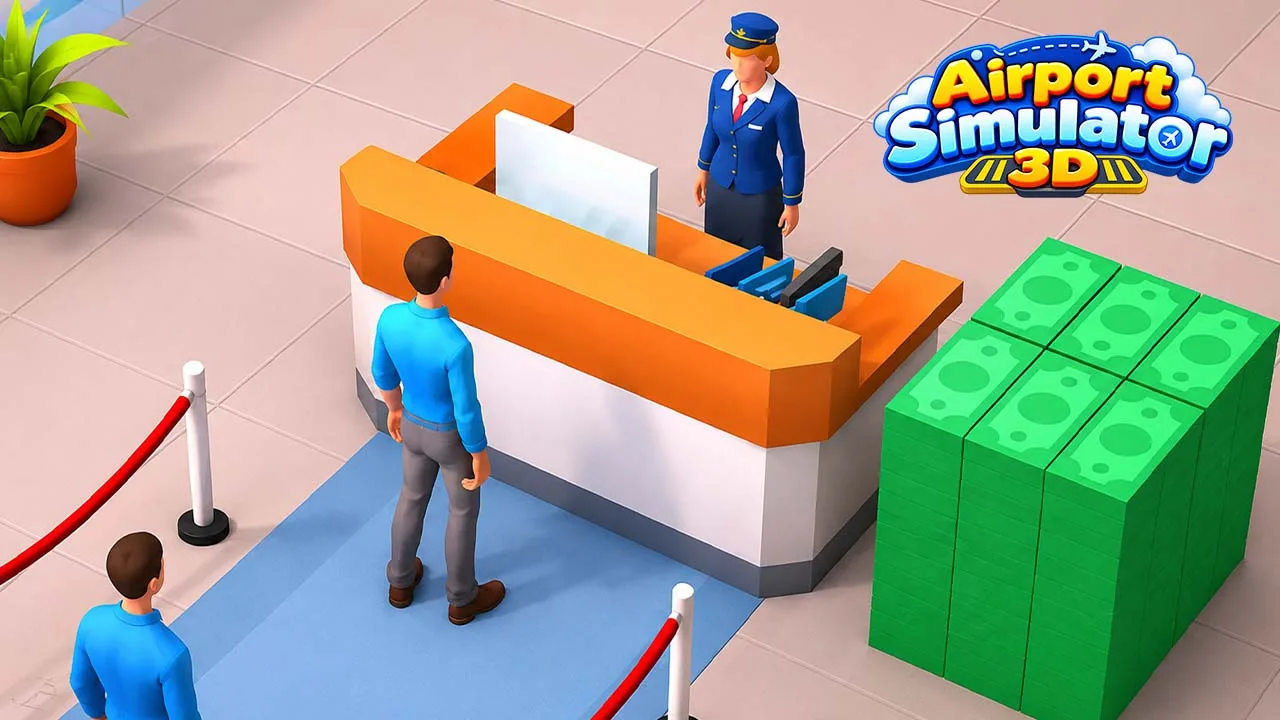
Every great airport starts small, and in Airport Simulator 3D yours is barely more than a waiting room with a departure board. Passengers trickle in with tickets in hand, and it is up to you to move each one through the full pre-flight journey: check-in at the desk, baggage drop, a pass through security, and a calm walk to the right gate before the plane pushes back. Every traveler you process smoothly is money in the till, and every delay is a loud reminder that an airport never forgives a bottleneck.
The rhythm of the game sits somewhere between hands-on management and relaxed tycoon building. Early on you are the whole operation — opening counters, dragging suitcases onto the belt, and waving people toward boarding yourself. As profits stack up, the shop-and-upgrade side takes over: add more check-in desks so queues never spiral, speed up baggage handling, widen the seating area, and invest in the kind of terminal polish that keeps ratings high as the schedule gets denser.
That steady climb is the hook. A terminal that once handled a handful of travelers per flight slowly turns into a humming aviation hub with lines moving in parallel, planes queuing for their slot, and you orchestrating it all. There is real satisfaction in watching a rush hour that would have buried your old airport pass by without a single missed departure — and then immediately reinvesting the earnings into the next expansion.
Key Features of Airport Simulator 3D
-
The full passenger pipeline: guide travelers through check-in, baggage, security, and boarding — every stage is a small puzzle of keeping the flow moving.
-
Expansion and upgrades: reinvest profits into extra desks, faster baggage systems, and a larger, more comfortable terminal that can absorb bigger crowds.
-
On-time pressure: every aircraft expects to leave on schedule, so the game constantly nudges you to find and fix the slowest link in your chain.
-
Friendly 3D presentation: a clean, readable airport view makes it easy to spot queues forming and planes waiting, even when several flights overlap.
-
Easy to learn, satisfying to master: no complicated menus — the challenge comes from prioritizing well as your little airport grows into a genuine hub.
How to Play Airport Simulator 3D
1. The Objective
Keep every passenger moving from entrance to gate without a bottleneck, and make sure each plane departs on time. Money earned from served travelers funds terminal upgrades, and upgrades let you handle more flights, more passengers, and bigger crowds without collapsing.
2. The Controls
Disclaimer: These are the typical controls for browser-based 3D airport management games. Exact interactions may vary slightly depending on the version you play.
| Action | Input |
|---|---|
| Interact with desks, baggage, and boarding areas | Left Mouse Button (click or hold) |
| Move focus around the terminal | Mouse movement / click a zone |
| Handle prompts and upgrades | On-screen buttons |
On a phone or tablet, everything is touch-driven: tap a station to work it, tap prompts to process passengers, and tap the upgrade menu to spend your earnings between rushes.
3. Tips for a Smooth-Running Hub
-
Fix the slowest stage first. If security backs up while check-in idles, no amount of new desks will help — upgrades only pay off when they target your true bottleneck.
-
Never let baggage pile up. A jammed luggage line quietly delays boarding, and missed departures cost more than any desk upgrade ever will.
-
Expand before the rush, not during it. Spend profits on capacity while the terminal is calm so the next wave of passengers lands on an airport that is ready.
-
Watch the whole floor, not one desk. The best airport managers ping-pong between stages, clearing small queues before they turn into missed flights.
-
Reinvest quickly. Idle cash does nothing sitting in the till; early reinvestment compounds into a much bigger hub later.
Airport Simulator 3D FAQ
Is Airport Simulator 3D free to play?
Yes. It runs in your browser with no download and no payment — open the page, hit play, and start processing passengers.
What do you actually do in Airport Simulator 3D?
You manage a growing airport: check passengers in, route their baggage, get them through security and to the gate, and keep planes departing on time, all while spending profits to expand the terminal.
How does the airport grow?
Earnings from served travelers are invested back into the terminal — more check-in desks, faster baggage handling, and extra space — letting you absorb heavier traffic each round.
Can I play Airport Simulator 3D on mobile?
Yes. The game is built for browser play and works with simple taps, so you can run your terminal on a phone or tablet just as well as on a desktop.
If orchestrating queues and departures scratches your management itch, keep the momentum going with Farm Village, where the same upgrade-the-operation loop runs through crops and workshops instead of gates, or Grow My Farm for a multiplayer take on farm building. Crop Runner turns harvest logistics into a driving job, while Growden.io grows an entirely stranger garden. Need a loud break between flights? Steal a Brainrot delivers chaos, and Duck Duck 2 winds things back down with a light puzzle. Board your first passenger and watch your little terminal take off.